Master Company Setup: SB Info
The SB Info (Service Bureau Information) tab contains a series of fields and Sub Tabs that house data about the company including input method, day and time. Additionally, instructions for packaging and delivering the output are found here.
Setup and Maintenance of the SB Info Tab
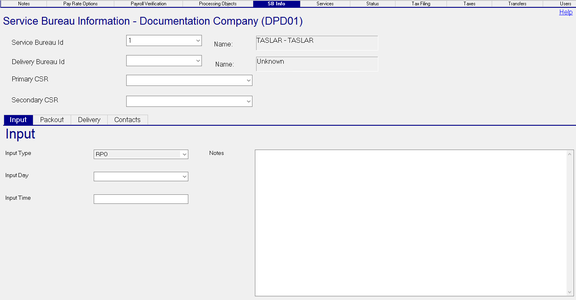
Service Bureau Information Section
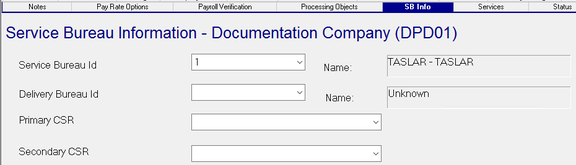
| Field Name | Information |
|---|---|
| Service Bureau ID | This field is initially populated during the creation of the company code. Contains a Drop List of Service Bureaus IDs housed in the SB Info tab under System > Setup. Dependent on the nature of the bureau, there may be numerous entries in this Drop List. The Name field is populated from the selected Service Bureau ID. |
| Delivery Bureau ID | Optional. If another bureau handles deliveries, select it the list of Service Bureaus IDs housed in the SB Info tab under System > Setup. Otherwise, leave blank. The Name field is populated from the selected Service Bureau ID. |
| Primary CSR | Optional. Select the Primary CSR from the Drop List housed in the Custom Service Reps option of the Drop List of that page. The Misc Tab is found in System > Setup. |
| Secondary CSR | Optional. Select the Secondary CSR from the Drop List housed in the Custom Service Reps option of the Drop List of that page. The Misc Tab is found in System > Setup. |
Input Sub Tab

Input Type : Optional. Select the Input Type from the available Drop List. The entries in the Drop List are found in System > Setup > Misc Tab. Use the Drop Arrow and find Payroll Input Types.

| Field Name | Information |
|---|---|
| Input Day | Optional. Select the Input Day from the Drop List containing days of the week. |
| Input Time | Optional. Enter the Input Time for the client. The format is free-form. |
| Notes | Optional. Enter any notes about the client not addressed with the Notes Options by the Master Company Setup > Notes tab. |
Packout Sub Tab

Packout notes are free form instructions on the packaging and distribution of the payroll output. Packout Notes are printed during the payroll processing.
Delivery Sub Tab
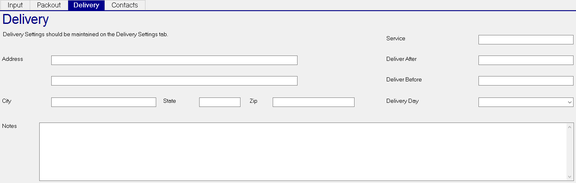
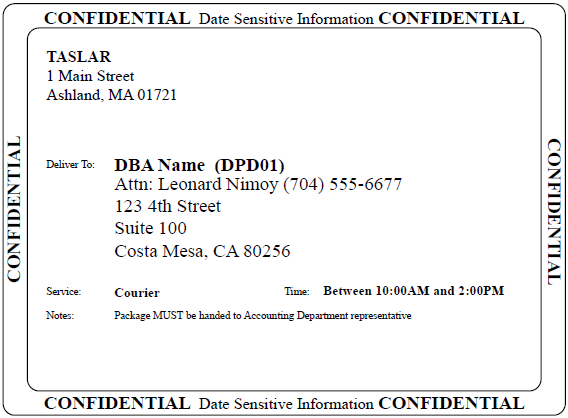
The information entered on this Sub Tab is printed on the Delivery Report that is produced with the Payroll.
| Field Name | Information |
|---|---|
| Address | Optional. If entered, this address will be used on the Delivery Sheet. If blank, the Address information from Master Company Setup > Demographics is used. |
| Add'l Address | Optional. If entered, the Add'l Address information will be used on the Delivery Sheet. If blank, the Add'l Address information from Master Company Setup > Demographics is used. |
| City | Optional. If entered, this city will be used on the Delivery Sheet. If blank, the City from Master Company Setup > Demographics is used. |
| State | Optional. If entered, this state will be used on the Delivery Sheet. If blank, the State from Master Company Setup > Demographics is used. |
| Zip | Optional. If entered, this zip code will be used on the Delivery Sheet. If blank, the Zip Code from Master Company Setup > Demographics is used. |
| Notes | Optional: Optional. Enter information specific to this delivery as needed. |
| Service | Optional. Enter the name of the Delivery Service that will make the delivery. |
| Deliver After | Optional: Enter a time that the package must be delivered after. |
| Deliver Before | Optional: Enter a time that the package must be delivered before. |
| Delivery Day | Optional. Select the delivery day of the week from the Drop List. |
Sample of Delivery Overrides and display on Delivery Report
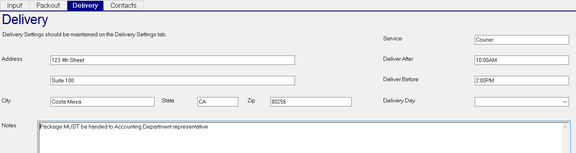
Contacts Sub Tab
Currently not used