Employee Maintenance: Skills
Use of the Skills Tab is optional.
The Skills tab is used to record information regarding skills/abilities possessed by an employee.
Data entered here has no effect on any payroll calculations.
By recording employee skills, an employer can search for employees with specific skills. This would be done when attempting to find internal candidates for various job positions with specific requirements.
Prior to adding a Skill record to an employee, a list of Skills must be created at the Company Level. This is done using the Skills - Skill Codes option found on the Miscellaneous Tab under Company Setup.
For information on setting up Company Level Skill Codes
click here.
Adding a new Skill record
Click the New (*) Button. The cursor is moved to the Skill Code field of the Skill Sub Tab.
Select the Skill from the Drop List found on the Skill Cod field,

| Field Name | Information |
|---|---|
| Skill Code | The Skill to be added to the employee |
| Date | Date Skill was acquired. |
| Skill Description | Enter a description of the skill. The description listed in the Drop List for the selected skill code is not populated and must be entered. |
| Proficiency | Free form entry defining the employee's proficiency for this skill |
Note: Skill Description and Proficiency are both free form fields with no spell checking or text editing options.
Skill Notes Sub Tab
Use of the Skill Notes tab is optional when setting up Skills records.
Use the Skill Notes tab to record additional information regarding the skill or the employee's proficiency relevant to the skill.

There are no spell checking or text formatting options supported on this Sub tab.
Additional Information
Calendar (New Version) Button : The Calendar Button is inactive on the tab.
Delete (X) Button : Use the Delete Button to remove an existing Skill record.
The following ReadyPay Payroll box will be displayed after the Delete Button is selected.

Select Yes to remove the selected Skill record.
Reporting
The standard report RP_340_1301, called Employee Skills, is available for Skill reporting.

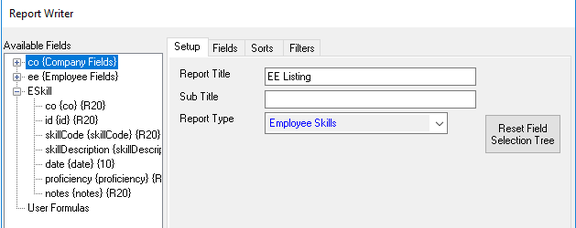
Additionally, Skill Reporting can be done using the Employee Skills Report Type in Report Writer,