Employee Maintenance: Miscellaneous
The Miscellaneous Tab houses multiple sections of data grouped by like category. Except for the values in Payroll Groups section, the remaining fields on the screen are optional.
Miscellaneous Tab
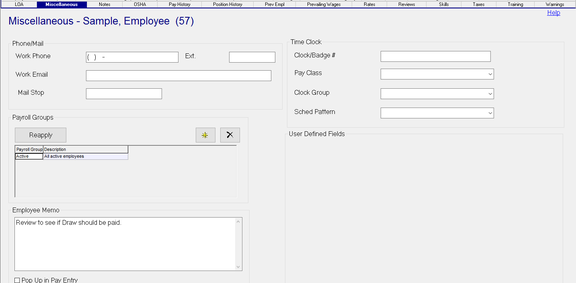
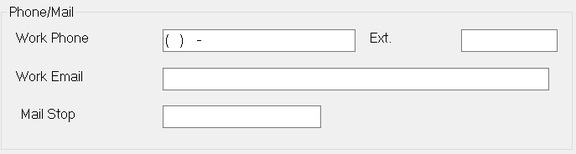
Phone/Mail Section
| Field Name | Information |
|---|---|
| Work Phone | Employee's Work Phone. |
| Ext | Work Phone extension. |
| Work Email | Employee's work email. |
| Mail Stop | Mail Stop Identifier. |
Payroll Groups Section
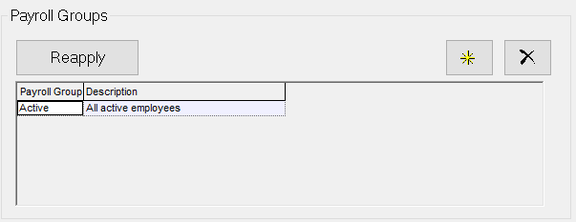
Payroll Groups are used to associate an employee with like employees for Payroll purposes.
Employees can belong to multiple Payroll Groups.
Reapply : Click this button for the system to review existing payroll groups and add the employee if needed.
New (*) : Use the new button to manually add an employee to an existing Payroll Group.
Delete (X) : Use the Delete button to remove an employee from a Payroll Group.
Employee Memo Section
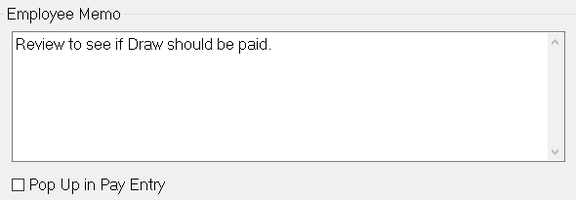
Employee memo is a free form text field.
Information stored in this field can be displayed in Payroll Entry by checking the "Pop Up in Pay Entry" check box.
When the employee is accessed in Payroll, the Employee Memo box is displayed.

Time Clock Section
This section contains various fields used to configure the employee for a Time Clock system.

Clock/Badge # : The clock or badge number assigned to the employee for the timeclock system.
The following fields are used with the AOD Integration routine. Prior to use, each field must be prepopulated using the options found under the Misc Tab of Company Setup.

Work with your AOD representative for instructions on the setup and use of these fields.
| Field Name | Information |
|---|---|
| Pay Class | Pay Class as defined by AOD. |
| Clock Group | Clock Group as defined by AOD. |
| Sched Pattern | Schedule Pattern as defined by AOD. |
User Defined Fields Section
This section is blank until custom User Defined fields are setup on the company.

Options on the EE User Fields tab in Company Setup allow for the creation of up to eight User fields and five check box fields on the Employee > Miscellaneous Tab. Use of these fields is optional. You cannot enter data in any of the employee level User Defines fields until they are setup in the Company Setup > EE User Fields Tab.
For information on setting up the company level EE User Fields.
click here .
Following is a sample of the setup of the Company Level EE User Field Tab.
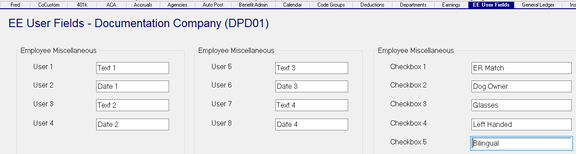
User 1 through 8 are free form text fields. No formatting options are provided,
If using one of the User fields to store a Date, the field is still a text field. Date must be entered in a Date format.
The following shows where the User Level fields are displayed on the Employee > Miscellaneous Tab.

If any of the fields are not used at the company level, their position on the Employee Miscellaneous tab is left blank.

Reporting on the data on the Employee Maintenance > Miscellaneous Tab

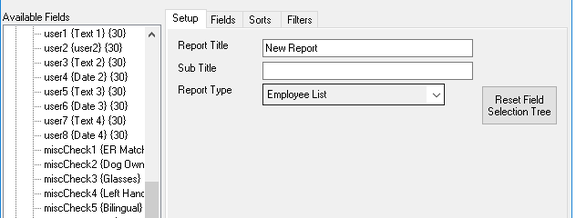
The data found on the Miscellaneous Tab can be accessed using any Report Writer type the uses the ee {Employee Fields} collection. They are listed in the collection by the field name used on the tab.
The User Defined fields are found in the ee {Employee Fields} collection as well.
They are listed by the field name, followed by the label attached to the field at the company level.