Employee Maintenance: Licenses
Due to the nature of their industry, many companies need to keep record of information on the various licenses their employees must hold in order to perform their job functions. They use this information to ensure their employees have current and up to date licenses.
Use of this tab is optional. Any data stored is in for informational purposes only. It has no impact on the calculation of payroll.
Setup
Before adding any License information to employees, a list of License Type must be set up on the company in question.
License Types are stored under the License Code option found on the Misc Tab in Company Setup.
For information about the setup of Company Level License Codes.
click here .
Adding a License entry to an employee
Click the New (*) Button.
A list of available License Codes will be displayed.

Select the appropriate entry,
The cursor moves to the Code Field on the License Sub Tab.
License Sub Tab
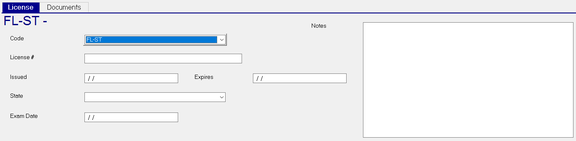
Code : License Code from the Drop List
License # : Enter the license number
| Field Name | Information |
|---|---|
| Issued | Date issued. |
| Expires | Expiration Date. |
| State | If a state issued license, select from the Drop List |
| Exam Date | Date of License Exam |
| Notes | Free form text note field |
Documents Sub Tab
Use this sub tab to attach documentation to the License record.

Click the New (*) Button to add a document to this License entry.
A file explorer box will be displayed.
Navigate to the location where the document is stored.
Select the document, then click Open.
An entry is added to the grid of the Documents Sub Tab.

| Field Name | Information |
|---|---|
| Code | Assigned by the system. Uses the License Code followed by a one. Subsequent documents are titled the License Code2, License Code3, etc. |
| Edit Notes | Click the box to access a free form text field and enter any notes regarding the attachment. |
| Load/Update | Use this field to attach an updated version of the document. |
| View | Click to open and view the attached document. |
Reporting Options
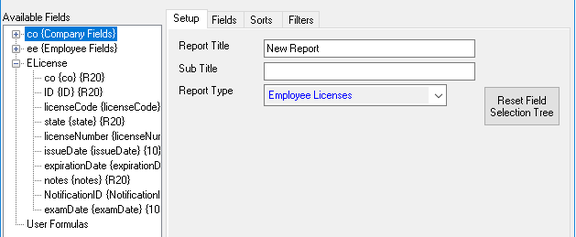
Use the Employee Licenses Report Type in Report Writer for reporting purposes.