Company Setup: Misc | Rate Change Codes
Rate Change Codes are used to identify the reason a new Rate was added to an employee.
The codes can be customized to the needs of each client.
Use of the Rate Change Codes, while informative, is optional.
Rate Change Codes have no impact on any payroll calculation.
There is no limit to the number of Rate Change Codes that can be setup on a company.
Adding a new Rate Change Code
Click the New (*) Button. The "Enter new code" box is displayed.
Enter a short code for the new Rate Change Code.

Click OK.
The Cursor is moved to the Description Field of the Code Setup Sub Tab.
Enter a Description of the Rate Change.
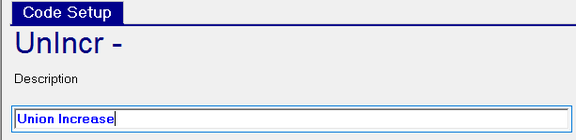
Save the record.
Repeat as needed.
Deleting a Rate Change Code
Click the Delete (X) Button.
The following ReadyPay Payroll box is displayed.
Click OK to delete the Rate Change Code.

Important: Exercise caution when removing existing Rate Change Codes.
Rate Change Codes can be deleted, WITHOUT WARING) if already in use in the system.
The New Version (Calendar Icon) Button is not enabled for Rate Change Codes.