Company Setup: Misc | Leave of Absence Codes
In order to use the LOA Tab in Employee Maintenance, you must first build a company level table of Leave of Absence Codes.
This is done using the "Leave Of Absence Codes" (LoA) option in Company Setup > Misc.
Use of Leave of Absence (LoA) codes is optional. Its use is informational. LoA Codes do not affect the payroll calculation.
Adding new Leave of Absence Codes
Click the New (*) Button.
The "Enter new code" box is displayed.
Enter a short code for the LoA Type.
Click Ok.
The Cursor is moved to the Description field of the Setup Sub Tab.
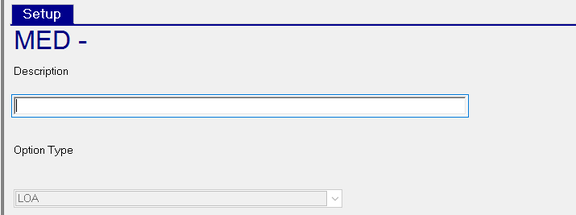
Description : Enter a description of the LoA Code.
Option Type : Option Type automatically populates with LOA.
Repeat as needed to add all LoA Codes for the client
Additional Information
The New Version (Calendar Icon) Button is inactive on this tab.
Use the Delete (X) Button to remove LoA Codes that are no longer needed.
Exercise caution when deleting entries from this table. Referential integrity logic is not in use with this function. This means you can delete an entry from the company level while the entry is in use on anm employee(s).
There is no option in Report Writer to report on the Company Level LoA Code setup