Company Setup: Misc | Emp Types

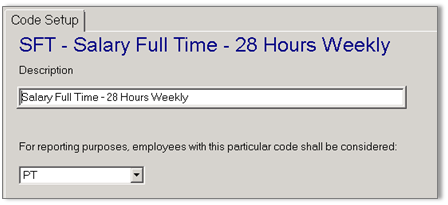
Employee (Emp) Types are used to drive many calculations and views in the system. To add a new Emp Type, click the ADD button. When entering your new Type it should be coded in a way that makes it easy to identify and know the meaning. An example might be using 'FT' for full-time or 'PT' for part-time though they may be longer, up to 10 characters. After clicking OK, add a Description to explain the group of employees this Employee Type will identify. The pull-down option below Description to set reporting purposes for the Type must be set if it will be used to identify employees based on Affordable Care Act (ACA) requirements. In the example above, the company might say a full-time employee is someone who works 28 or more hours per week while the ACA states full-time status is based on 30 hours or more)