Company Setup: EE User Fields
The EE User Fields allow for the creation of custom employee level fields specific to the client.
The custom field are created by adding a title to any of the eight User fields or the five check box fields on this tab.
The titles can be up to fifteen (15) characters.
After adding a Title, that field is identified by that title on the Miscellaneous Tab in Employee Maintenance.
Working with the EE User Fields
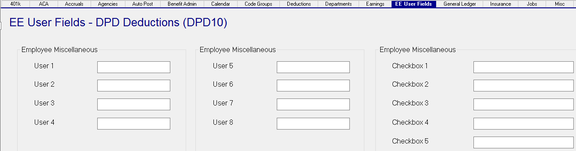
User Fields 1 through 8 are free-form text fields that will be the title of the corresponding field in the User Defined Section of the Miscellaneous Tab in Employee Maintenance. If all fields on the EE User Fileds tab are empty, the User Defined Fields on the Miscellaneous tab are empty as well.
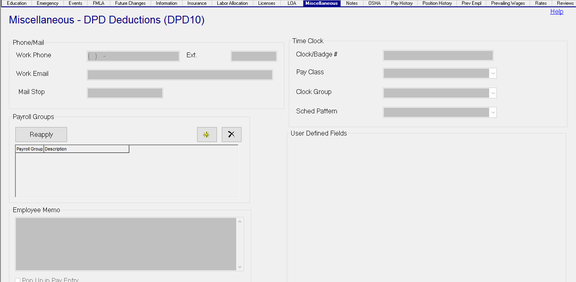
Once you populate a field on the EE User Fields Tab, the corresponding field on the Miscellaneous tab uses that entry as its name.


The following images demonstrate the cause and effect of the setup of the Company Level EE User Fields options.
Company Level Settings. Note that the Field Titles from the EE User Fields at the Company Level are the Field Names in the Employee Display.
Company Level
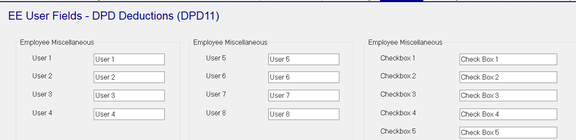
Employee Level Display

Other Information regarding User Defined Fields
Regarding User 1 through User 8:
1. Each will accept up to 50 characters.
2. There is no text editing or spell checking.
3. Are pre-positioned on the tab. If User 1 and User 5 are used, there will be blank spaces between the two entries. The same applies to the Check Box fields.
4. C an be used to record dates. However, they are not formatted as Dates. Any date format will be accepted.
5. Can be accessed via Report Writer.
Regarding Check Boxes 1 - 5:
1. When used in Report Writer, the fields are displayed as a 1 (one) when checked or 0 (zero) when unchecked.
2. Report Writer formulas can be used to alter the displayed results (1 = True, 0 = False)
If the client needs for Custom fields are not met by the EE User Fields options, explore the options provided using the Custom Forms Tab in Master Company Setup.
For information on Custom Forms Setup, click here .